Choose the connection model that fits the environment.
Compare can connect to source and target databases directly or through local agents. The right choice depends on table size, network topology, encoding differences, and how much execution work you want to keep close to each database.
Connection models
This step defines which database instance acts as the trusted source and which becomes the target for validation. In practice, the key decision is whether Compare should read data centrally or delegate more work to agents placed closer to each database.
Lower setup effort
Direct Database Connection
Compare connects straight to the database endpoints and executes the comparison flow from the main environment, without deploying local agents near source and target.
- Best when
- You need the quickest onboarding path and the scope is moderate in size and complexity.
- Strengths
- Simple rollout, fewer moving parts, and no agent lifecycle to manage.
- Watch out for
- Higher network transfer volume and possible sorting mismatches across engines.
Higher execution efficiency
Agent-Based Connection
Local agents are placed near the source and target databases to handle sorting, hashing, and part of the comparison workload closer to where the data lives.
- Best when
- You compare large datasets, operate across environments, or expect encoding and sorting differences.
- Strengths
- Lower network overhead, better scalability, and more control over where heavy processing happens.
- Watch out for
- Extra deployment work, agent maintenance, and local infrastructure requirements.
Detailed guides
If the execution model is already clear, jump straight to the dedicated setup guide:
Quick selection guide
Need the fastest path to a working comparison?
Start with Direct Database Connection when setup speed matters more than deep execution tuning.
Working with large tables or remote environments?
Choose Agent-Based Connection when you want hashing and sorting closer to the data source.
Databases differ in encoding or ordering behavior?
Prefer Agent-Based Connection to reduce the risk of mismatches caused by engine-specific sorting behavior.
For small and well-controlled environments, direct access is usually enough. For production comparisons across larger datasets or heterogeneous platforms, agent-based mode is the safer long-term default.
Connection architecture
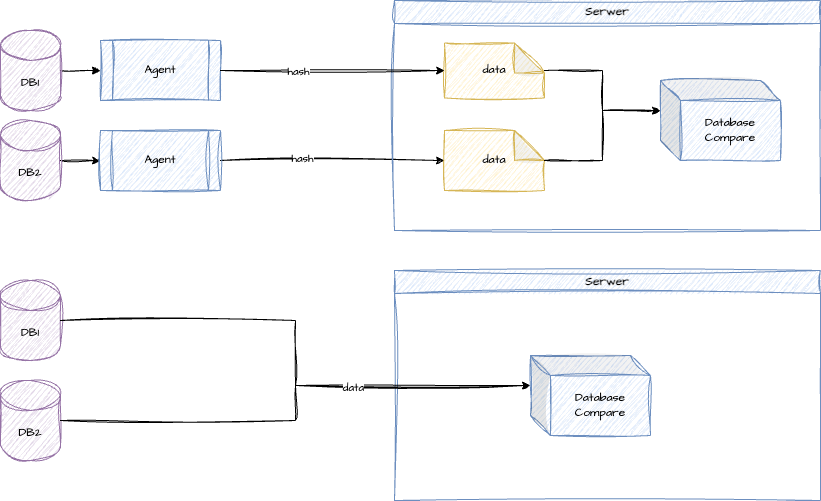
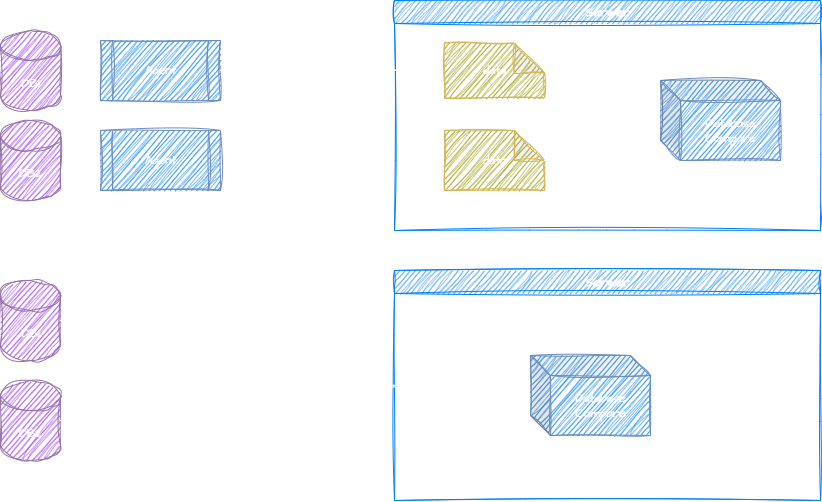
The upper model keeps processing closer to the databases by using agents. The lower model keeps the setup simpler by connecting directly from the main Compare environment.
Supported databases
Compare supports a set of enterprise-grade database engines commonly used in migration, replication, and validation projects.

Oracle
Supported versions

PostgreSQL
Supported versions
Informix
Supported versions
IBM Db2
Supported versions

MS SQL Server
Supported versions
Testing connections
Once the source and target are selected, Compare validates connectivity automatically. The goal is to confirm that both sides are reachable and properly authenticated before the comparison moves to execution.
Select source and target
Choose the reference database and the environment that should be validated against it.
Check the status indicator
Green means the connection succeeded. Red indicates a network, credential, or configuration issue.
Retest manually when needed
Use Test Connection after adjusting credentials, host settings, or firewall rules.
Proceed only with two valid endpoints
Both connections should be healthy before moving to the next configuration step.